

Your laptop is the most valuable thing outside of food and water you can carry with you on the road. Sure you camera lens may be worth more money but it doesn’t contain your personal data, scanned travel documents, those cute photos of your dog, or act as your personal TV, telephone, and connection with the outside world all in one.
Most people now travel with their laptops and it’s the one gadgets we can’t seem to travel without. Laptops are valuable yet very vulnerable but in this 3-part series you’ll learn how to protect your ever-handy notebook from the most common types of attacks.
Locking Down Your Laptop…Literally
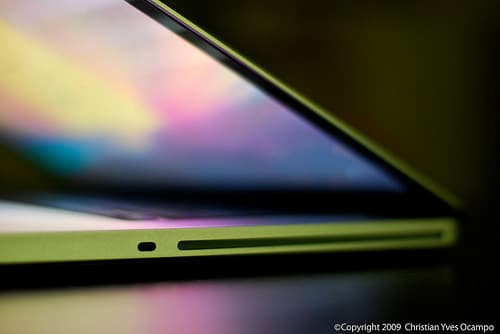 You can have the best encryption in the world to protect your laptop from the world’s best hackers but if you don’t physically secure your machine any amateur thief can walk right off with it. To secure your laptop you need to physically protect all 2.5 kilos of it.
- Start With A Basic Laptop Lock – Almost all laptops have a small slot for a lock (like the picture to the left). You can find out where yours is with a simple Google search or by reading the manual (most manufacturers post those online for free now).
- Bring A Padlock – Many hostels have lockers but don’t provide locks and often laptops don’t fit in hotel safes. In both cases a padlock will come in handy.
- Invest In A Pacsafe – This mesh-wire fits around your backpack and locks to something protecting your laptop inside.
A basic laptop lock will run you between $15-30 and most, like this Kensington ComboSaver and MicroSaver, conform to a PC and Mac standard. This simple lock will give you piece of mind when sitting in a cafe or emailing from your hostel room.
Lock Your Screen Every Time You Get Up
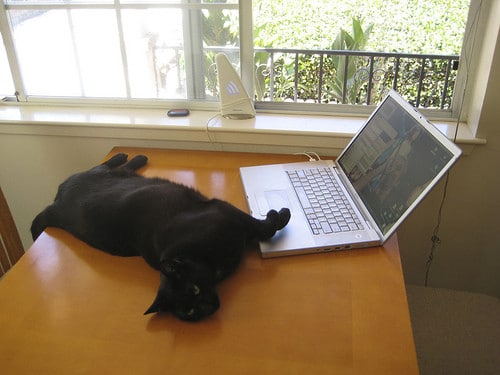 Leaving your laptop unattended is bad but leaving it without locking the screen is worse. On most laptops you can configure your screen to automatically lock (that is, require a password to use it) when you close the lid. Physical access to your laptop is one of the easiest ways for someone to steal data off of it or do a search for ‘password’ in your Gmail account.
It’s one of the most common ways information is stolen so get in the habit of locking your screen every time you’re not sitting right in front of your machine. Here’s how:
- Windows Users: CTRL+ALT+DEL, then select “Lock Computer” or “Switch User”. An easier way is to hit the Windows logo key (lower left) + the “L” key.
- Mac Users: Apple didn’t add this nifty feature into Leopard or Snow Leopard but you can add it by downloading the free program LockTight. It lets you configure any set of hot keys you want to lock your screen.
This is the one piece of advice most people say “duh” to before getting up for a cold beer and forgetting to lock their screen. Get in the habit, lock your screen!
 Set Up Remote Backup, Trap, And Alarm
In case your laptop does get stolen you want to make sure your data is saved in a physically separate location. While an external hard drive is good, it doesn’t help if your entire backpack gets stolen. Choose an online backup source so your data gets sent somewhere else where you can retrieve it later in case you need to replace your machine.
- There are two good ways to get free online backup – Personally I prefer CrashPlan which lets you backup to other computers you may own or your friend’s machines.
The Trap
Now you’re backed up in case of total failure so it’s time to set up your electronic mouse (aka. thief) trap.
- Adeona (Works on Windows, Mac, and Linux) – An open-source (free) program that lets you track your stolen laptop if the crook gets online and the Mac version will even snap a picture of person with your iSight camera and send it to you. There is also LojackForLaptops; that costs $40 per year.
- You can also use LogMeIn to watch the screen as the thief uses your computer and potentially grab useful information to identify them.
The Alarm
For some fun you can try out iAlertU (sorry, Mac only). It’s a car alarm for your laptop that has limited applications and likely won’t provide too much security outside a select few circumstances. You can see how it works in the video below:
Secured From The Outside
A good lock is typically enough to discourage most opportunistic thieves and will go a long way to protecting your laptop from the outside. A tiny percentage of lost laptops are ever recovered so prevention is key. Tomorrow in Part 2 I’ll teach you how to protect the goodies inside of your laptop from crooks, customs agents, and everyone else who wants access to the goods – your data.
Continue on with Part 2 and Part 3 of this series.
[photos by: Jeremy Brooks (lock photo), christianyves (laptop), elkit (cat on laptop), billaday (mouse trap)]




Thanks for this valuable advice on protecting laptops as we travel. Mine goes everywhere with me and I’ll be putting your tips into practice. I’m looking forward to reading Part 2.
Thanks Donna!
Great information. I probably should take some of this into consideration now, but I plan on getting a new computer before I start traveling, likely a netbook which may not work with the programs/lock for my mac. Although I should really back up all my files, even the external hard drive isn’t foolproof.
Will you be running Linux?
Great post. For so many of us, our laptops are our lives. What that says about us is another issue! Best tip for me was LockTight, which I have now downloaded. Looking forward to reading Part 2.
Travel safe!
LockTight is a nifty little app. After a few reboots though sometimes I end up having to go into the system preferences to get it going again but takes about a second and saves me much more time in locking my screen 🙂
Useful post Anil. I’ve never really taken my laptop’s security too seriously in the past but with my upcoming travels, I’m about to start protecting everything. I’m looking forward to Part 2 as well…
I think most people are in that boat – glad to hear you’re taking some security steps. If you have any questions along the way feel free to let me know.
Anil, this is a great post! I didn’t even know that all these things are possible when it comes to safe keeping one’s laptop. Genius! I like that program where your Mac can snap a photo of the thief! LOL!
I read about a guy who tracked his iPhone using software like this, wish I could find the article but must have been a nice feeling to say gotcha!
I love these tech security posts that you do! I always learn something valuable and new. I love the idea of my camera taking a picture of the thief…must look into that one!
Thanks Sherry, had been a while and decided it was time to get techy again 🙂
These are such great tips- I mean even if I’m not traveling I need to know these things. I have so many people in my house- it is like a train station- so we’ve had a few mishaps :)…these tips help tons!!
Anil: I’m pretty cognizant about security issues, but you provided some valuable advice here that I hadn’t previously known about. I’ll be implementing as son as possible. Thanks as always, for the expert info.
Great post! I always like posts with really practical tips and it actually made me think about how exposed my laptop is at the moment.
Thanks! Hopefully will keep your laptop just a little bit safer 🙂
Really great tips, Anil – good advice like this can never be repeated often enough, since there are new laptop users all the time who need this information.
One small thing though, on the Mac there is a way to password protect your screen easily (since Tiger, I believe, when Spaces/Expose was introduced).
Go to Settings > Expose & Spaces – set any of the screen corners to activate the screen saver immediately when you move your mouse to there;
Then go to Settings > Security – check the box that says “Require password to wake this computer from sleep or screen saver;
Then just use the hot corner to activate your screen saver if you step away from your computer.
No need for a third party app!
Cool, thanks Trisha for the Mac tip 🙂
Unfortunately, Adeona is moribund. They were dependent on OpenDHT, which is dead, and they don’t have a replacement.
Wish there was an open source alternative.
Guess it best to get the download while you can. Thanks for letting us know.
The issue isn’t downloading the package, which they are leaving online. It’s that the back end is dead, and that the service won’t be there if you need it. See the details at the site: http://adeona.cs.washington.edu/